Client portal
Your clients sign off in your portal, not in your inbox.
Client approvers and viewers get a short, separate portal: only their own brands, what waits for them, the calendar, what went out and the reports you sent. On Agency Pro and up it wears your name, logo and colour, on your own address.
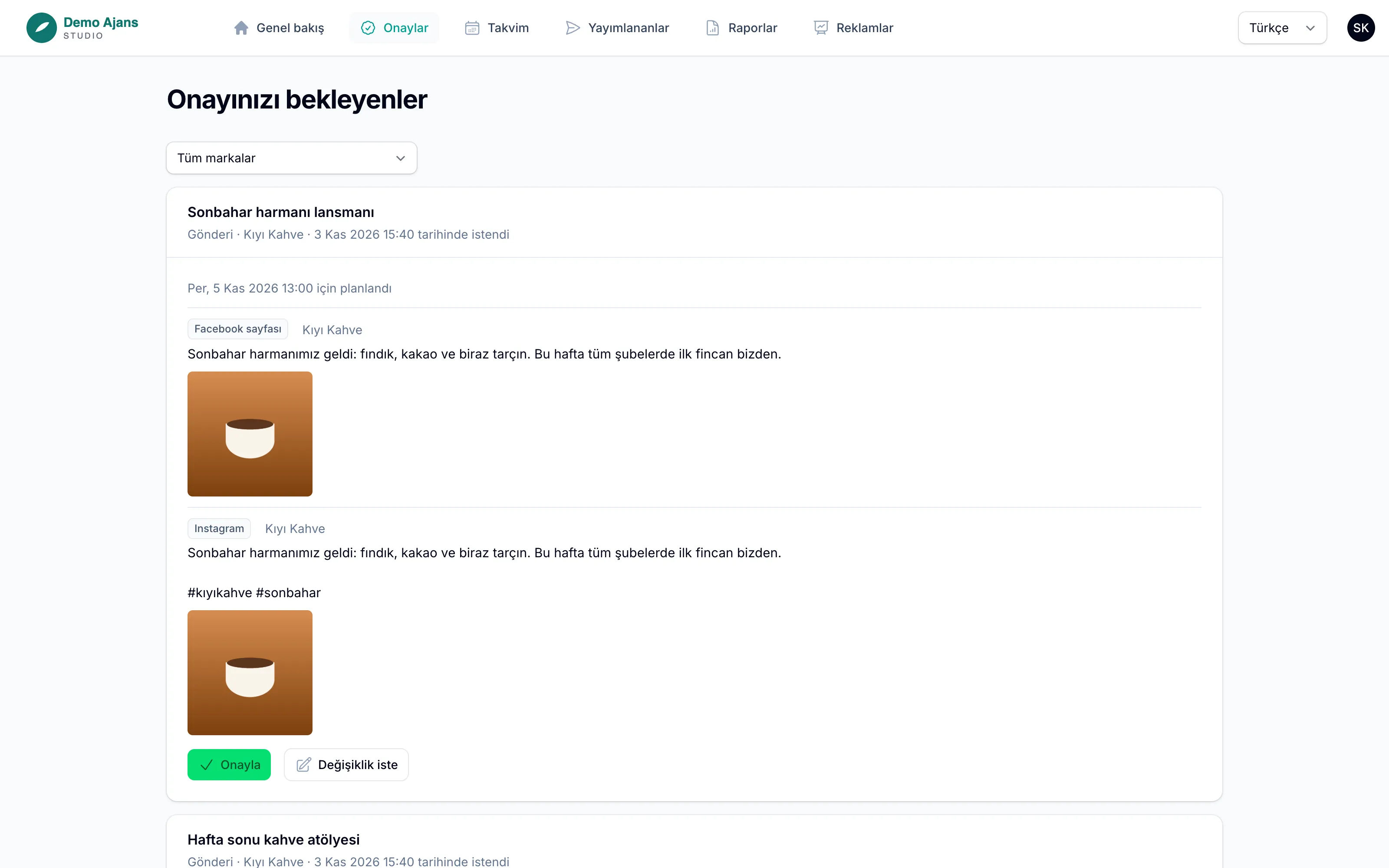
How it works
-
Step 1
Invite the client
Invite a client approver or viewer from Agency → Team. The invitation e-mail and the sign-up page carry your agency’s name.
-
Step 2
They see only their brands
The portal shows the brands of that client and nothing else: items waiting for approval with a preview, a read-only calendar, published posts with their links, sent reports and an ads summary.
-
Step 3
Approve or ask for changes
Approvers approve or send a change request with a note. It is the same approval chain as in your workspace: editing afterwards voids the approval.
-
Step 4
Use your own address
Add a sub-domain such as portal.youragency.com, set one CNAME and one TXT record, and Reachio checks them every 10 minutes. Once both are found, invitations, approval e-mails and report links use your address.
What you can do
- Approvals for posts, creatives, articles and e-mails, ad changes and campaign launches, with a preview.
- A read-only calendar and the list of published posts with each network’s link.
- Sent client reports with the web view and the PDF; drafts never show.
- An ads summary of the last 30 days, read-only.
- Agency Pro and up: your name, logo and colour on the portal, its sign-in page and the e-mails to clients, and never Reachio; below that a small “with Reachio” line.
Limits, said plainly
- Your own address must be a sub-domain (portal.youragency.com); a bare domain cannot point at another service.
- Client e-mails are sent from Reachio’s address with your agency’s name; replies go to your reply address.
- No file or brief sharing in the portal yet.
Bring your first brand in.
Free early access, no card.